To display both Gregorian and non-Gregorian dates in the same mini-calendar, create 2 textboxes each containing a mini-calendar, and superimpose them so that visually it looks like all the dates are in the same mini-calendar.
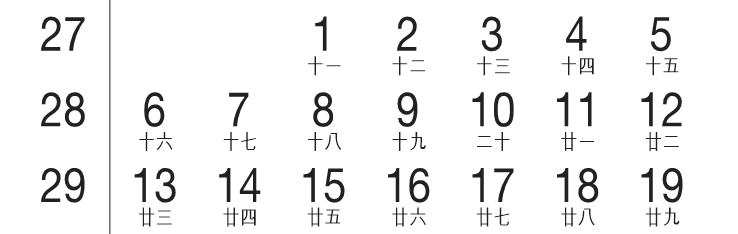
Take the example of displaying both Gregorian dates and Chinese dates in the same mini-calendar.
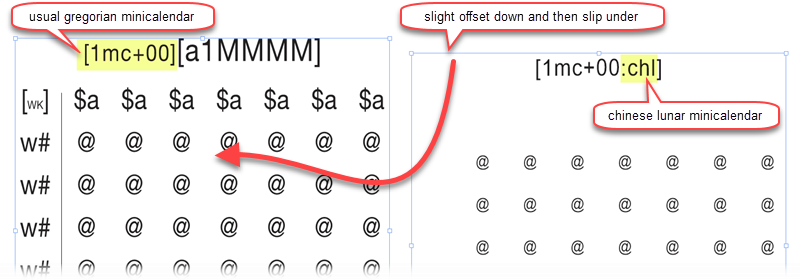
We use 2 textboxes, each containing a mini-calendar, one Gregorian one on the left and a chinese mini-calendar on the right.
The same can be done for muslim mini-calendars.
Topic 171920, last updated on 17-Apr-2020