You can link a holidays set to one, or more, of the worldwide public holidays database, by right-clicking on a holidays set in the holidays manager.
➢Links can only be created between one of your own holidays sets and a set from the worldwide public holidays database. Your set can be linked to more than one worldwide holidays set.
This link is then used by Q++Studio to perform the holidays synchronization of the holidays that you might have copied, after an update to you copy of the worldwide holidays database.
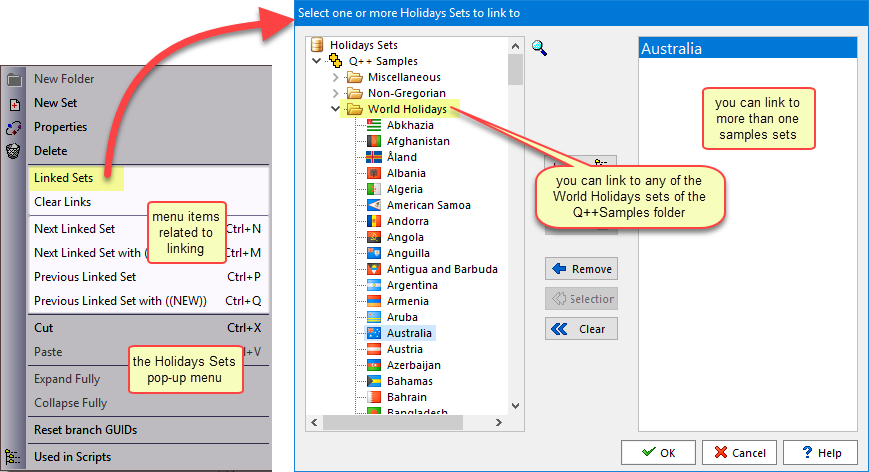
The pop-up menu which appears also contains some menu items to navigate from one linked set to another (as shown above). The use of these menu items is discussed in step 7 of the topic on holidays synchronization.
See also: linking individual holidays.
Topic 180345, last updated on 23-Oct-2026
