Regular expressions, which can be used in SARAs, in the macro functions StrFindRegex and StrReplaceRegex, and in the search dialogs of recurring holidays, one-time-dates, saints and slogans, are a powerful set of commands used to make searches much more general.
➢A list of online references to learn about regular expressions can be found at the end of this topic.
You may already be familiar with filename wildcards, such as *.txt. Regular expressions provide more powerful pattern matching, using a different syntax. Some examples are:
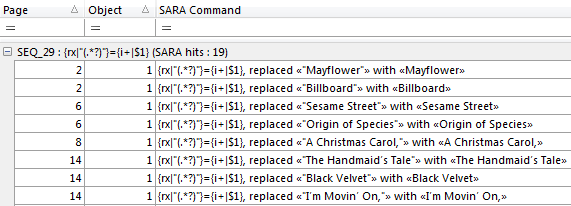
Find text between straight double-quotes and replace this with the text, without the quotes, in italics (for example) |
 Sample result log below
|
Find "rd" preceded by "3" and make "rd", without the preceding "3" into superscript (for example) |
 Sample result log below 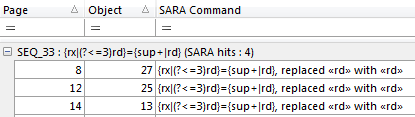
|
Replace 2 spaces that are between a Thursday and a Moon phase symbol and replace those 2 spaces (only) by a single space so that the Moon phase remains in box. |
 
|
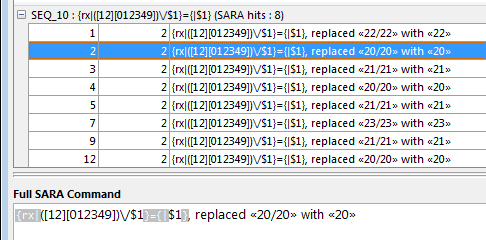
Search for repeated 2-digit numbers from 19-24 separated by a forward slash, and replaces it by a single instance of that repeated number, without the forward slash. |
  |
Our favorite Regular Expression Quick Reference is here (for conciseness) and here as on online tester validator.
A pedagogical, but verbose, introduction to regular expressions can be found here, while a more concise, but exhaustive, list of regular expressions commands and options can be found here. Finally, this site has a nice mix of simple bite-size examples as well as some very advanced topics.
Topic 181300, last updated on 21-Oct-2026
