•compilation of macro generated warnings
•macro was compiled with a different compiler version
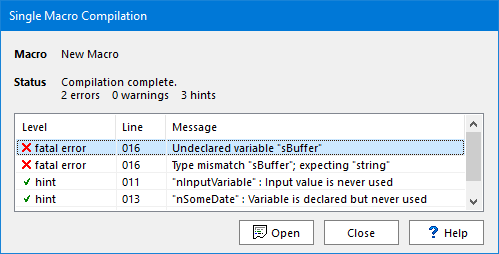
The list of compilation errors, warnings and hints is displayed in the ListView at the center of the dialog.
•To obtain more information on a given message, click on it once in the list and then press the F1 key.
•To open the macro in the macros editor, click on the Open button.
Even when none of the above messages is displayed, you can still access this dialog by selecting compile macro from the macro menu of the macros manager.
To compile a macro directly within the macros editor, choose Compile from the Code menu (compilation messages will then appear within the editor itself).
See also: recompile all macros and compiling macros.
Topic 127200, last updated on 08-Oct-2026
