When inside the macros editor, assuming that the currently-displayed macro has been compiled successfully, you can easily see the relationship between any line of source code and the compiled code line(s) that stem from these, and vice-versa, for any line of compiled code you can see the source line it was generated from.
Source Code To Compiled Code
Whenever your cursor changes line(s) in the source code editor, then the corresponding compiled code that was generated from the selected line(s) will be highlighted as shown in the screenshot below (where the yellow highlight is just for illustrative purposes).
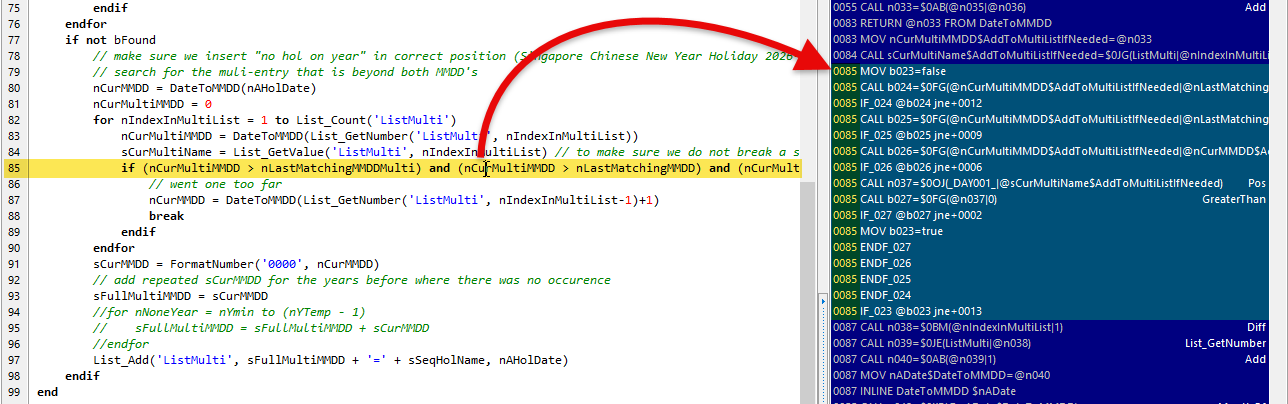
Note that you can select more than one line of source code.
Compiled Code to Source Code
If you click on any of the compiled code lines, then the corresponding source code line will be highlighted, as shown in the image below.

Note that, as a side-effect of selecting the source code line on the left, all the other compiled code lines generated by the same source line will also be highlighted.
Topic 189235, last updated on 16-Sep-2026
