Placing GenTokens tokens in the same textbox, and following, a mini-calendar marker allows you to display complex monthly calendars, within a daily or weekly grid.
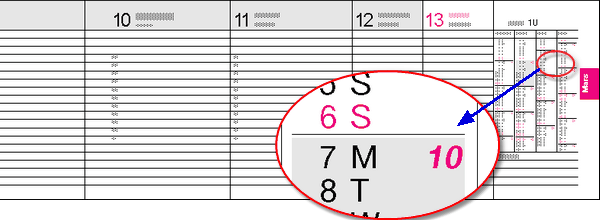
In the above example, the previous month, the current one, and the 2 that follow, are displayed using shading for dates in the current week, and space after each Sunday. This is achieved by the following simple token setup.
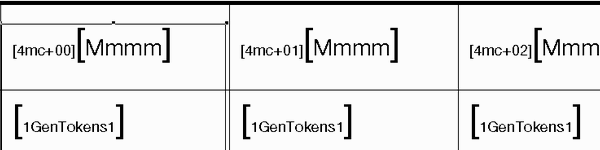
In this example, both GenTokens use DayValue 1. When a GenTokens is placed in the same textbox and after a mini-calendar token, the marker controls the date of embedded tokens. By default, DayValue 1 corresponds to the first of its month, and each GenTokens generates the required dates from that starting point.
To start at the beginning of the week containing the first of the month instead, use the :ws modifier on the mini-calendar marker. The GenTokens Begin on WeekStart setting is ignored in this situation.
Topic 175970, last updated on 18-Apr-2020
