The ignore background options modifier is
:NoBa
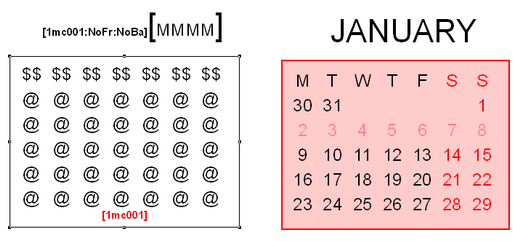
This is useful, as shown in the example below when you want the extent of the background shading to be different than that of the textbox that contains the mini-calendar elements.
The No Background modifier is applied to the larger box containing all the textual elements of the mini-calendar (most noticeably the month name) and the mini-calendar marker (in red) of the smaller box is left un-modified so that it can be shaded and/or framed when it is the current mini-calendar, depending on the mini-calendar options.
Topic 177070, last updated on 30-Jun-2022
