Add Current Week mini-calendar Offsets mini-calendar modifier to a mini-calendar token to shift the contents of a mini-calendar a given number of weeks with respect to the current week (as determined by the DayValue of the mini-calendar token).
In the example below, the mini-calendar tokens [1mc+00:-2w] use the :-2w Current Week mini-calendar Offsets mini-calendar modifier to produces a mini-calendar which always starts 2 weeks before the current week, thus displaying the current week always in a fixed position.
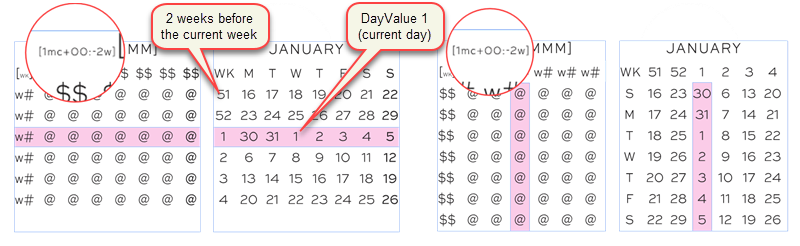
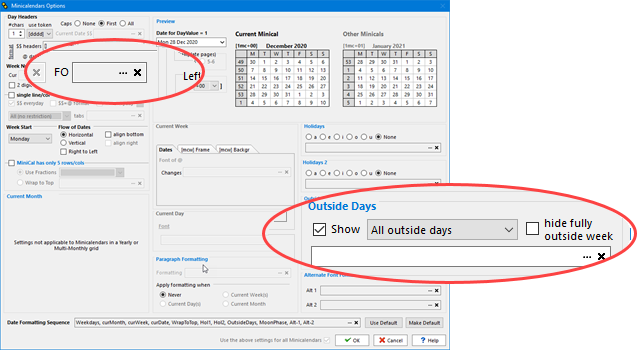
To get the result above, in the mini-calendar options, you need to remove the hide setting of fully outside week numbers and you need to set the options to show outside days , including fully outside weeks, as shown below, so that all the dates before the month are displayed.
Note that you do not need to put any tokens in the shaded textbox, since, by definition, the current week it highlights will always be in the same position.
See also: other mini-calendar modifiers and date offset suffixes.
Topic 179760, last updated on 01-Aug-2020
