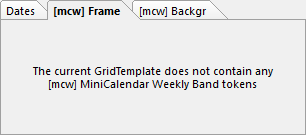
➢By default, the current week weekly band textbox is kept and modified as per the [mcw] settings on the right. All other non-current weekly band textboxes are deleted, unless your mini-calendar weekly bands token contains the :dnd do not delete mini-calendar weekly band modifier.
This group of background and frame options also appears in the macros resulting actions, the saras advanced change actions and current month mini-calendar options).
Use these controls to change the frame or background of retained weekly-band textboxes.
➢Most of the time you will not need to use these [mcw] options. It is usually easier, and more visual, to set the desired background and frame in the GridTemplate and let the token delete each textbox if it does not correspond to the current week.
Apart from the Frame and Background settings, the only other option related to the [mcw] options is the Apply to weeks of all visible dates of spread option.
Apply to weeks of all visible dates of spread
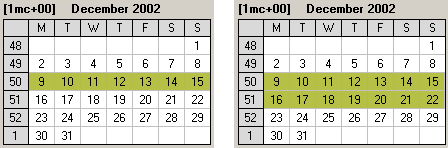
Looking at the example on the right, we have a 2 days on 2 pages template, which on the current spread has Sunday, December 15, on the left page and Monday, December 16, on the right page with a mini-calendar token [1mc+00].
The first mini-calendar, with the Apply to weeks of all visible dates of spread option un-checked, shows one weekly band being highlighted, the one for the week containing December 15, while the second mini-calendar, with the Apply to weeks of all visible dates of spread option checked, shows two weekly bands being highlighted, the one for the week containing December 15, and the one for the week containing December 16.
See also: individual dates of a mini-calendar, mini-calendar Current Month, mini-calendar Current Day.
Topic 171210, last updated on 30-Jun-2022
