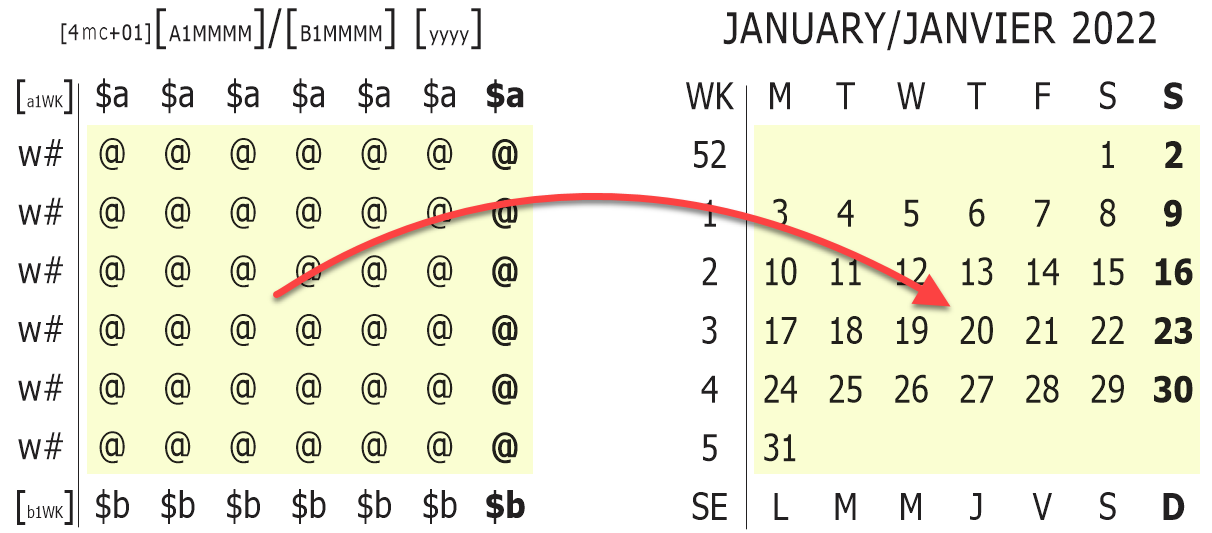
Mini-calendar Dates Markers are mini-calendar-specific codes used to display individual dates in mini-calendars.
➢The position of each possible date of a mini-calendar are marked by @ markers, which should be placed in every position where a date might occur.
There are many mini-calendar options that let you customize the appearance of each @ depending on whether the date is in the current week, day, ... However, if you know that some attributes will always be present in the same positions (such as the last weekday in bold in the example above) then you can set these attributes directly in the GridTemplate.
See also: mini-calendar tokens, mini-calendar modifiers and mini-calendars property settings.
Topic 171840, last updated on 01-Aug-2020
