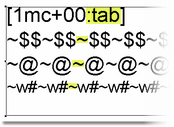
Note that this message can only occur when using QuarkXPress.
Origin
The reason for this message comes from the use of XPress Tags to apply paragraph formatting in general, and tabulation more specifically here.
But XPress Tags cannot be applied on top of other formatting. So Q++Studio needs at least one generated result in the affected row that has no additional text formatting.
If every result receives formatting from the mini-calendar options or macros, Q++Studio cannot apply the Special Tabs. The row retains its existing tab settings, which may cause the weekday headings and dates to become misaligned.
Solution
Set use native paragraph formatting to True in the QuarkXPress Diary Generation Options. Native paragraph formatting does not require an unformatted element through which to apply the Special Tabs, so every element can retain its additional text formatting.
Using native paragraph formatting is the recommended solution and, if you are handling many legacy scripts, you may want to prevent this issue in the future by turning on the force native paragraph formatting option in the QuarkXPress section of the application preferences.
Alternate Solution
Use this solution if you do not wish to use Native Paragraph Formatting.
Check the text-formatting settings and macros used for the affected row. Make sure that at least one displayed element is generated without any additional text attributes.
If an attribute, such as All Caps, is required for every element, apply it directly to the corresponding markers in the QuarkXPress template, and remove the equivalent formatting from the mini-calendar settings or macros. Formatting already present in the template does not cause this problem.
Conditional formatting, such as weekend and holiday colors, can remain, provided that at least one displayed element receives no additional formatting.
Topic 190270, last updated on 16-Nov-2026