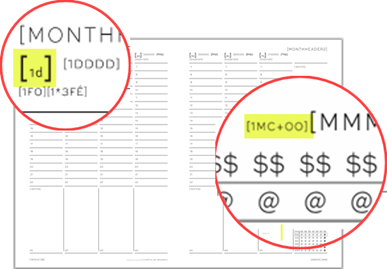
•MiniCal (current) defines the options for the mini-calendar that corresponds to the current month.
•MiniCals (others) defines the options for all other mini-calendars.
These 2 properties let you use different settings for these two groups when needed.
•Most scripts use one set of options for all mini-calendars.
•To do this, leave Use the above settings for all mini-calendars selected in MiniCal (current).
•Clear this option only when the other mini-calendars need their own settings.
Sharing the options does not prevent you from distinguishing the current month visually. For example, the Current Month formatting settings can give it a different background or font.
As mentioned above, by default, all mini-calendars are set to use the same options.

•By overall structure we mean aspects such as the first day of the week, the vertical/horizontal orientation, the number of weeks, if it is a single-line mini-calendar, etc..., all being attributes that are usually the same for all the mini-calendars of a diary.
•Minor cosmetic changes to the current mini-calendar are always possible, such as changing the background or the font, within the single set of mini-calendar options, via the Current Month mini-calendar options settings.
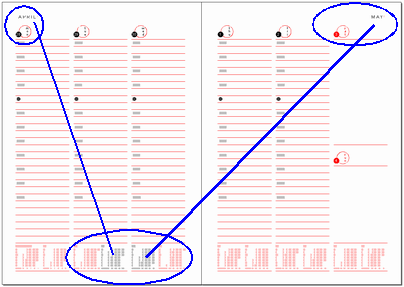
•By default, a mini-calendar is considered current when the month it displays matches the month of the date corresponding to its marker token’s DayValue. The Minical is defined as current if setting in GridOptions can extend this definition to include any month represented by a date on the current spread.
•For relative mini-calendar tokens, the token of the form [mc+00] is always current. However, depending on the value of Minical is defined as current if setting, the mini-calendars of the form [mc+01] and [mc-01], could also be current, on 2-page spreads containing a month change.
•For obvious reasons, the MiniCal (current) property is not defined for yearly diaries.
See also: mini-calendar Date Formatting Sequence and mini-calendar Previews.
Topic 181355, last updated on 06-Oct-2026
